BRICK – A new tool for Data Protector!!! Interested? Continue to read here:https://www.data-protector.org/wordpress/brick/.
Update 2012/08/21: new version (v0.11) released, for more information please refer to the ChangeLog, a lot of enhancements were done. Please use link above.
Please see screenshot below.
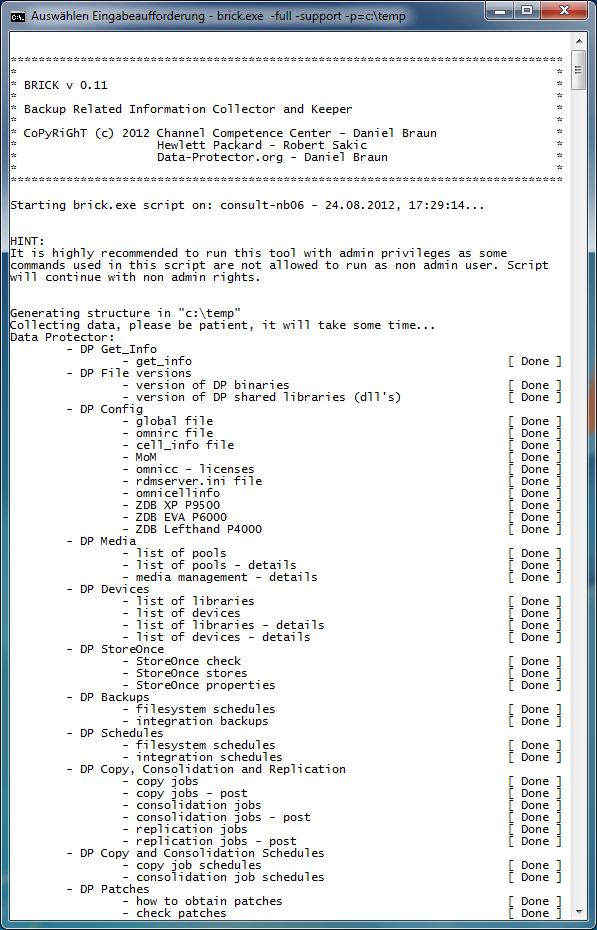
Please comment on page: https://www.data-protector.org/wordpress/brick/.
Enhanced Help: The help system was enhanced too.
*******************************************************************************
*                                                                             *
* BRICK v 0.11                                                                *
*                                                                             *
* Backup Related Information Collector and Keeper                             *
*                                                                             *
* CoPyRiGhT (c) 2012 Data-Protector.org - Daniel Braun                        *
*                                                                             *
*******************************************************************************
BRICK - Backup Related Information Collector and Keeper
Usage: brick < -full|-reduced|-long> -p=< path for output >
       [-support] [-fixed] [-log]

REQUIRED:
  -full                 runs all checks - recommend for maximum 75 server
                        in cell / environment (includes full DNS check and
                        check of the internal database, reports for last
                        7 days, ...)
  or
  -reduced              runs reduced checks - recommended for larger cell /
                        environments (short DNS check, no check of the
                        internal database, reports for last 2 days, ...)
  or
  -long                 runs additional IDB checks - not recommended
                        for larger cell / environments as runtime of script
                        will increase. Use this mode in smaller
                        environments or when request by support.

  -p,  --path           "path to write output", example: -p=c:\temp
                        Use " to quote directories with spaces, example:
                        -p="C:\Documents and Settings\User\temp"

OPTIONS:
  -support              will collect additional files for support and
                        generates a special html site for support with most
                        asked questions
  -fixed                reuse existing path for output, content is not
                        deleted before execution, so be careful
  -v,  --version        display the version of script and exit
  -h,  --help           print this help.


Please see generated changelog for additional information.
It is recommended to run the script as administrator / in admin mode.
Please keep in mind that WMI must be installed to run the script.

EXAMPLES:
- To collect data as report:
  brick.exe -full -p=c:\temp\brick
  brick.exe -reduced -p=c:\temp\brick
  brick.exe -long -p=c:\temp\brick
- To collect data as report and include files:
  brick.exe -full -support -p=c:\temp\brick
  brick.exe -reduced -support -p=c:\temp\brick
  brick.exe -long -support -p=c:\temp\brick

Mail bug reports and suggestions to daniel-braun(at)data-protector.org.


Return codes:
 0 - OK, no errors in script
-------------------------------------------------------------------------------
 1 - end of script after displaying help (option -h used)
 2 - end of script after displaying version (option -v used)
 3 - end of script after displaying params - error missing required parameter
10 - script was not started on cell server
11 - unable to create or open bricklog.html
12 - the output path cannot be the root directory of the drive
13 - unable to create homedir for BRICK
14 - unable to create a required folder for the BRICK report
-------------------------------------------------------------------------------
99 - unspecfied error - line number in script is displayed